Everything in Hopstone Home.
Every plan includes every feature. Here’s the whole toolkit, from the first home you send a client to the morning of closing.
Set up a client in minutes and bring the homes in.

A portal for every client
Name, buyers, budget, wish list, places that matter, and a welcome note. Drop a contact card and the details fill in. The invite goes out by email or text.
Realtracs imports
An Agent Full Report PDF (read right in your browser, photos included) or a CSV export. Send one file to several clients; homes already on a list update in place and keep their scores and notes.
Buyers add homes too
By address, with suggestions as they type. You get a note, and the next report fills in the details.
Drive times that tell the truth
Rush hour (weekday 8 AM) and off-peak (1 PM) minutes from every home to each place that matters, with a Drive it now button.
A payment on every home
This week’s average rate, local property taxes, insurance, and HOA, with one tap to send the home to their lender.
Market charts
A Market tab with charts that explain the market in plain words, each with a tip on what to do if it moves.
Capture everything once, where it belongs.
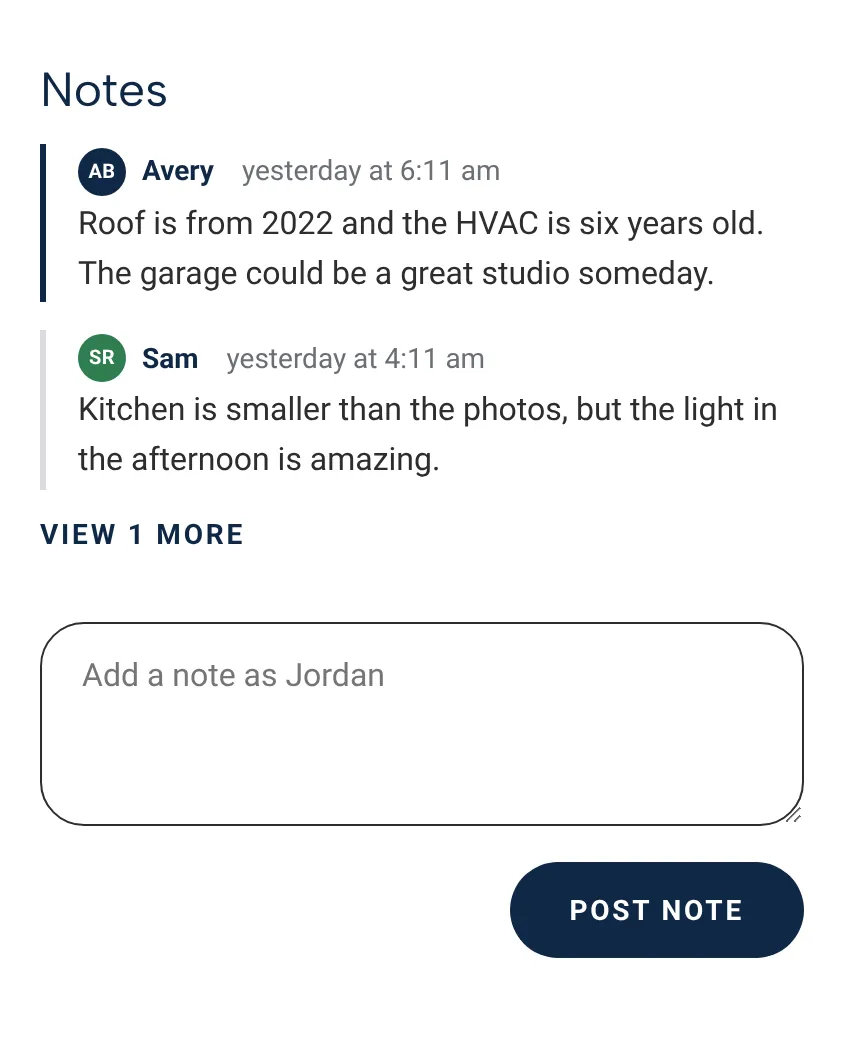
Notes
From you and each buyer, with their photo or initials, on the listing for everyone to see.
Questions and answers
Log a question, mark it answered later, and your buyers see the answer. Open questions show on the table and on the home.
What should I be asking?
Suggested questions about condition, costs, the sale, and the area, one tap to add.
Text the listing agent
Your open questions in a ready-to-send text, with the listing agent’s number filled in.
Photos and files
Drag in photos, disclosures, inspection reports, floor plans, and video walk-throughs. Only safe file types get in.
Nicknames
“The Porch Swing House” beats an address. Nicknames show on the table, the map, and in emails.
Keep the conversation moving, and help them decide.
Showing feedback
Score, price opinion, notes, questions, and a suggestion, as an email with the home’s photo, a text, or a call. A Feedback sent flag shows only to you.
Tour recap
Each home’s photo, score, facts, notes, and answers in one email to your buyers.
Scores
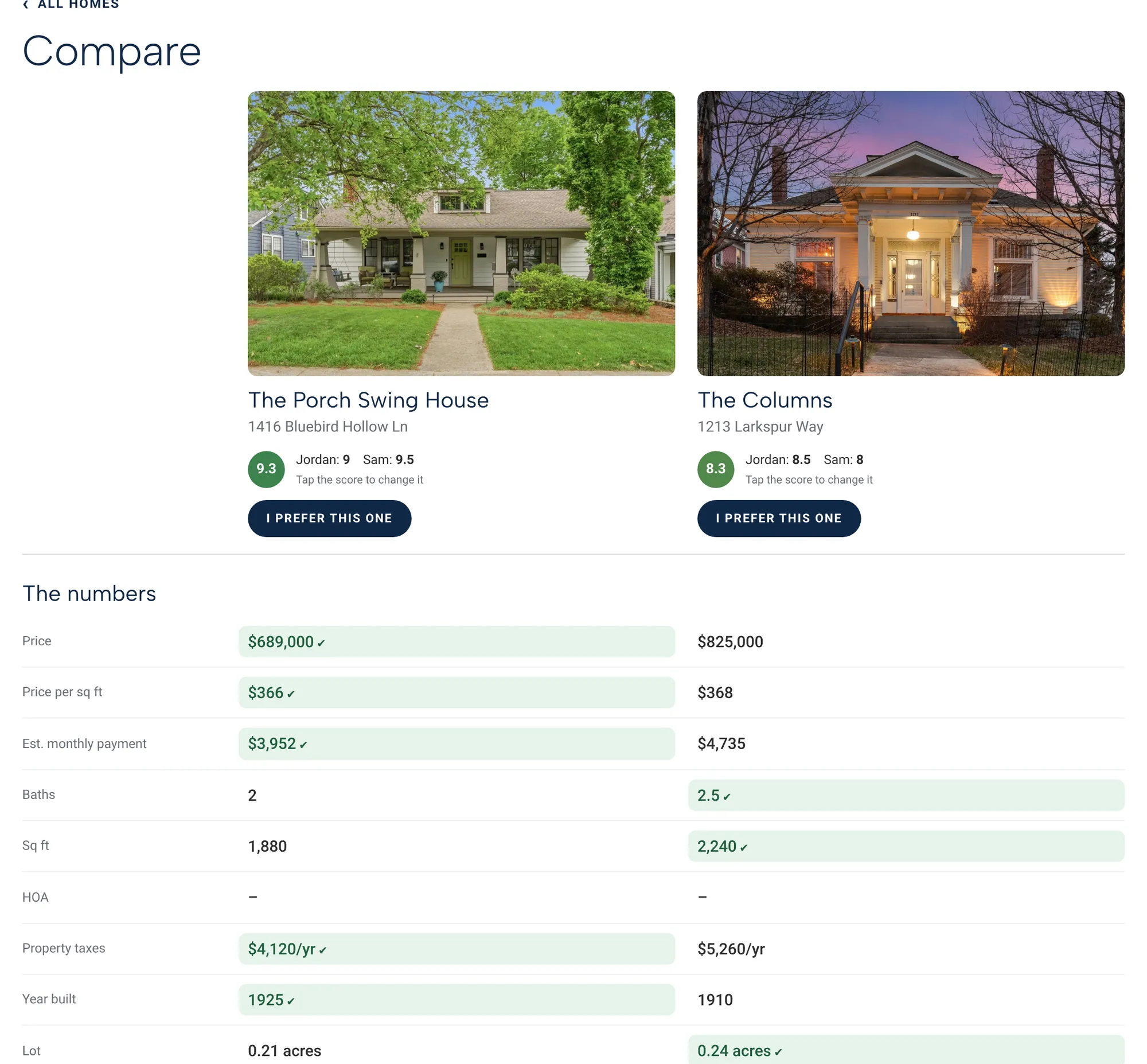
You add the first score; each buyer adjusts their own in half points. You get a note when they do, and “You two agree!” when they both love one.
Compare and head-to-head
Any two homes side by side with the better number highlighted, or a quick round of the top four to break ties.
Rule out, with a reason
A home they’ve moved past drops to the bottom with why, so you don’t show them its twin.
Listing flags
Price reduced, Multiple offers, Seller concessions, Motivated seller, Flexible timeline, Vacant, New construction.
Plan the day in a minute, and keep everyone on time.

The quickest route
Google traffic for the tour’s day and time picks the order, from where you meet to where you finish.
A schedule that adds up
Minutes at each listing in 5-minute steps, the drive between, and when you’ll wrap up. Pickup or caravan.
Exports
A showing schedule PDF with the map and showing contacts, one calendar file with every stop, and Google Calendar links.
A calm email for buyers
The meeting time and about when you’ll finish. The minute-by-minute schedule stays with you.
Every date, every party, every win, in one place.
We have a Contract!
Start from the listing: address, list price, listing agent, your buyers, and today’s date fill in for you.
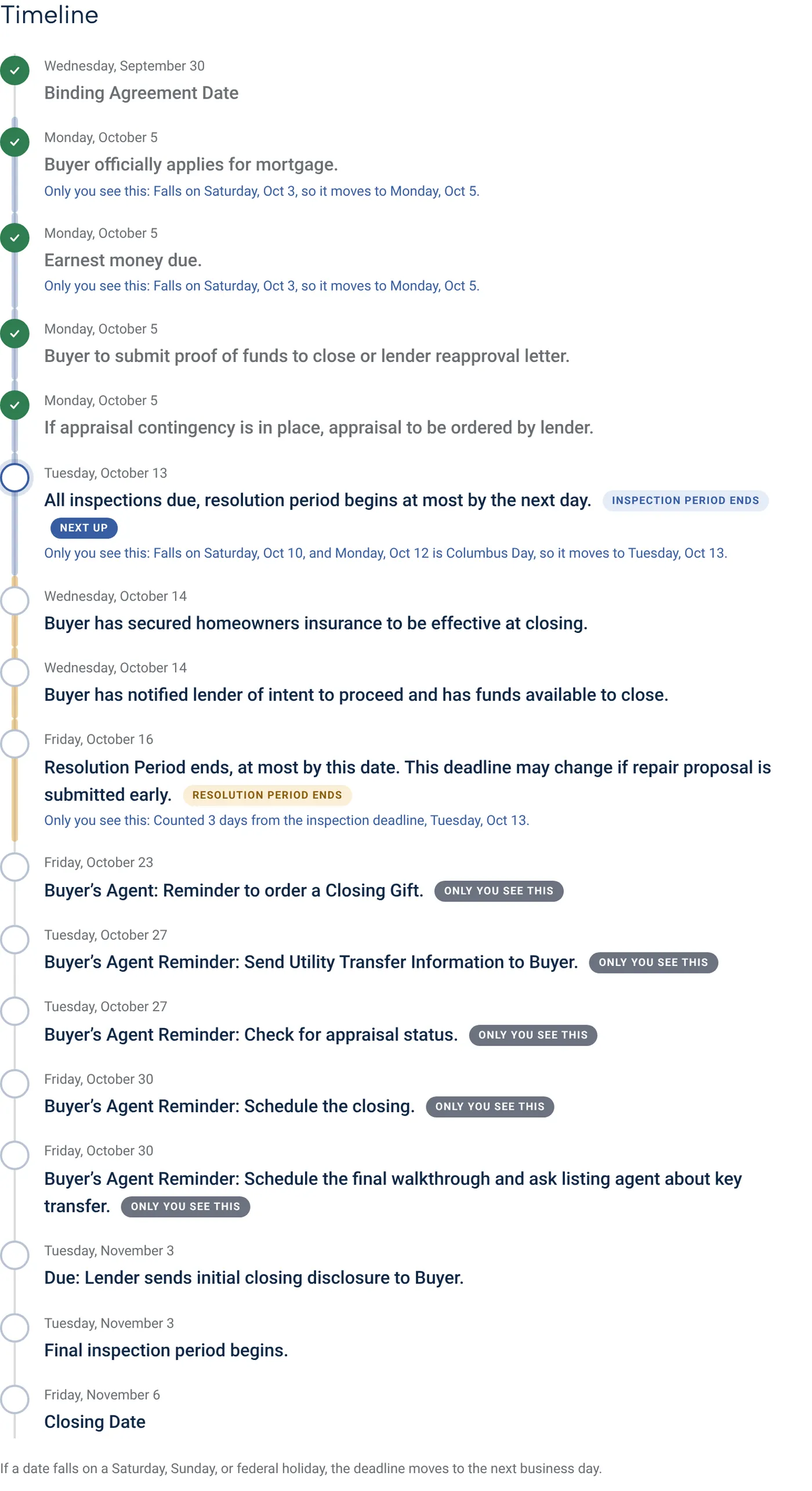
The timeline, counted
Day one is the day after the Binding Agreement Date. Weekend and federal holiday deadlines roll forward, with the reason written out.
Our Contract for your buyers
A progress bar from binding to closing, what’s next, a countdown, their negotiated wins, and their lender and title contacts.
Send contract to lender and title
A cover page with every party’s details on top of the signed contract, sent to the lender and both title offices. Buyers copied.
Send timeline to listing agent
The dates from the listing side, worded for the listing agent.
Congratulate your buyers
A celebration email with the wins, the full timeline, their team, and a wire fraud reminder.
Reminders and a live calendar
An email the morning before each date, and a private calendar feed for Apple, Google, or Outlook.
Save the dates
A calendar file and a one-page printable timeline for your buyers.
The view from the top, and your brand everywhere.

My Dashboard
What every buyer did, newest first; contracts in progress with each next date; a few gentle nudges.
Agent Tools
A box at the top of each client page that only you see, with every quick action and For Agent Eyes Only details.
Your brand
Logo, headshot, nine color schemes, and your email signature on every page, email, and PDF.
Your lenders and title offices
Keep your preferred partners, with logos, and pick them in a tap on new clients and contracts.
Notifications your way
Choose which buyer activity emails you. Security alerts and copies of your client emails always come.
Export client data
One ZIP with every home, score, note, question, answer, contract detail, photo, and file for a client.
Try it free. Then take 30 more days on us.
Every account starts with a 14-day free trial, no card needed. Add the code CLEARTOCLOSE when you sign up and you get 30 more days before your first payment.
The sign-up link fills the code in for you. Already in your trial? Add it in Settings, Billing.